Audits
Asset audit software for physical verification.
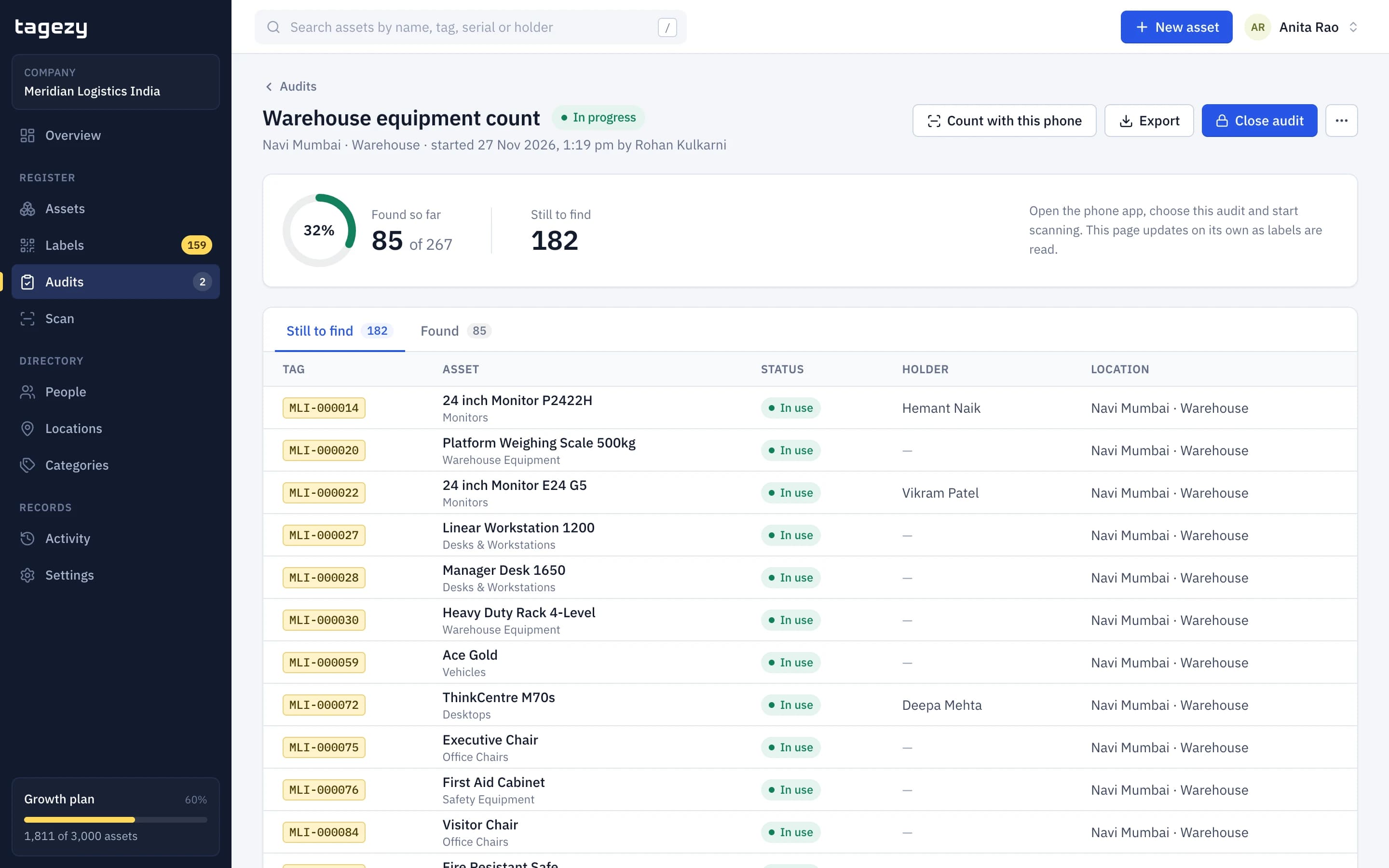
An audit is a count. Pick a location, walk it with phones, and see what was found and what was not. The result is a list you can hand to finance or to your auditor. Audits are part of the Lite plan and above.
How a count runs
Four steps from start to signed-off list.
Start
Name the audit and choose one location or the whole company. The list of assets to find is fixed at that moment. Retired assets are left out.
Scan
Everyone with the app opens the audit and scans what they see. Each asset counts once. Progress shows on every phone and on the dashboard.
Chase
The 'still to find' list is what remains. Check the cupboard, the other floor, the person working from home. Scan them when found.
Close
Close the audit. Anything not scanned stays on the list as not found. Export both lists to a spreadsheet.
What you get
A result you can defend.
- Found, with who and when
- Each found asset records the person who scanned it and the time. That is the evidence that someone saw it.
- Not found
- A plain list of what nobody scanned, with its last known holder and location, ready for follow-up.
- Wrong place
- An asset scanned during an audit that is not on that audit's list is flagged, which is how misplaced assets turn up.
- Reopen
- Found three more laptops after closing? Reopen the audit, scan them, close it again.
By location
Count one floor at a time.
A whole-company count is hard to finish. A floor is an afternoon. Run audits by location so that each one closes, and the overview shows which are still open.
Past audits stay in the list with their result, so you can show that each location was verified and when.
Questions buyers ask
What is a physical verification of assets?
A physical verification is a check that the assets listed in the register exist, by someone seeing each one. The result is a list of assets found, assets not found, and assets found that were not expected. Differences are then investigated and corrected in the books.
Which plans include audits?
Lite and every plan above it. The Free plan has the register, labels and the scanning app, and shows when each asset was last scanned, but it has no audits.
How long does an audit take?
It depends on how spread out the assets are, not on the software. Scanning a label and moving to the next takes a few seconds. Most of the time goes on finding the last few assets, which is why the 'still to find' list matters.
Can an asset be counted twice by mistake?
No. Each asset counts once per audit. Scanning it again tells the person it was already counted.
What does the export contain?
One row per asset on the audit's list: found or not found, tag, name, category, status, holder, location, and for found assets the time and the person who scanned it.
Does a closed audit change the register?
No. An audit reports what was found. Marking an asset missing, moving it or retiring it stays a decision for an admin, so the register is never changed by a count alone.
See it with your own asset list
Send us a spreadsheet of 20 assets. We will import it, print the labels and walk you through a scan and an audit on a call.