Use case: IT assets
IT asset tagging for laptops, phones and network gear.
Every device gets a label and a holder. When someone joins, hand over and scan. When they leave, scan and take back. The register is right because updating it takes ten seconds.
Day to day
The four moments an IT register goes wrong.
A device register drifts when updating it is a chore. Each of these takes one scan.
- A joiner gets a laptop
- Scan the label, tap Assign, pick the person. The laptop moves from stock to in use, with the date and your name.
- A leaver hands it back
- Scan, tap Return. It is back in stock and nobody has to remember to update a sheet.
- A device goes for repair
- Change the status to In repair and add a note with the service centre. It shows on the overview until it comes back.
- A device moves office
- Scan and tap Move. The asset's history shows where it has been.
One device
Everything about a laptop on one page.
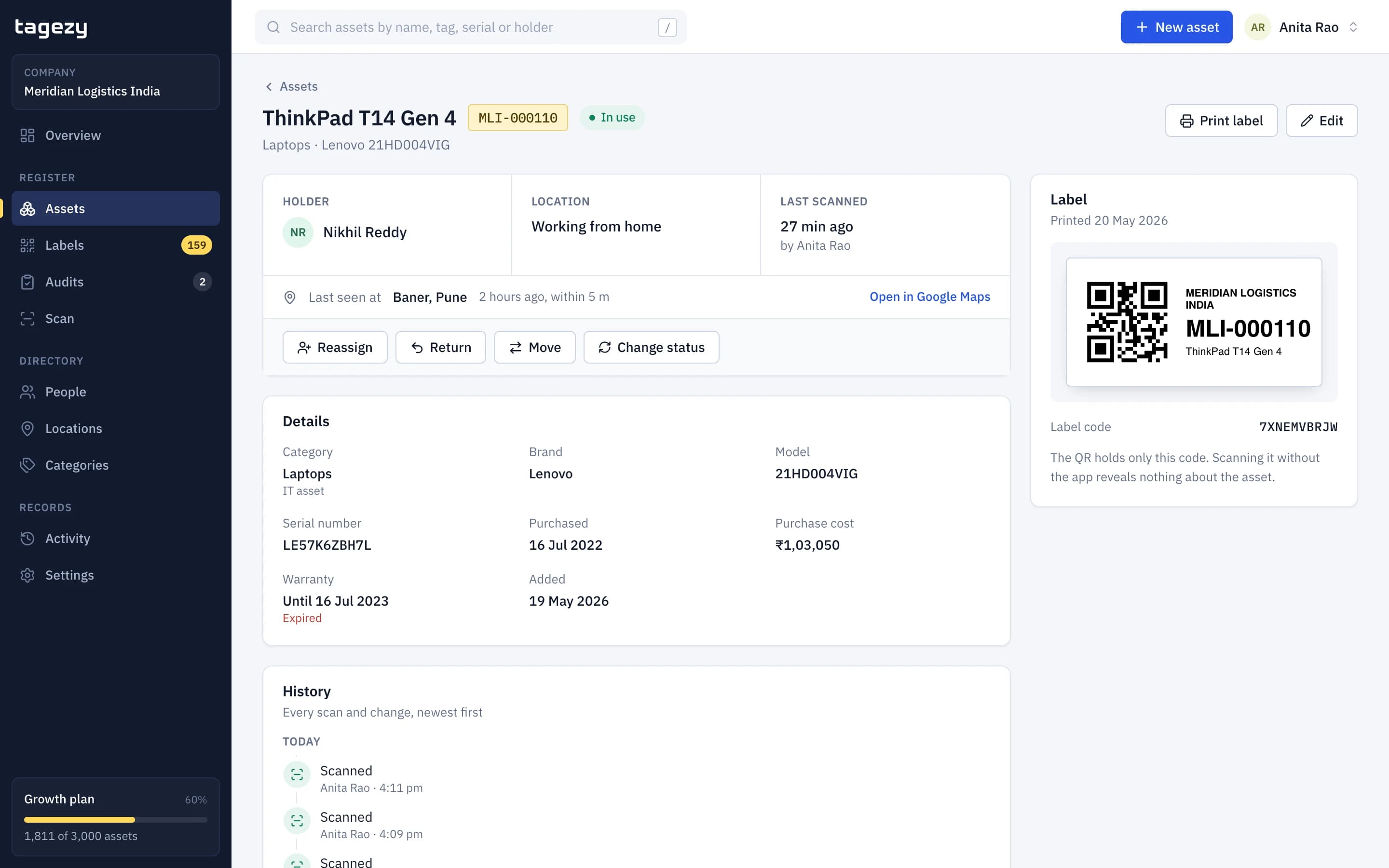
Holder, location, serial number, purchase date, cost and warranty, with the full history underneath. A warranty that ends within 60 days is flagged. An expired one is marked in red.
Search by serial number when a vendor quotes one. Search by a person's name to see every device they hold.
What to tag
Label size by device.
| Device | Label | Where to stick it |
|---|---|---|
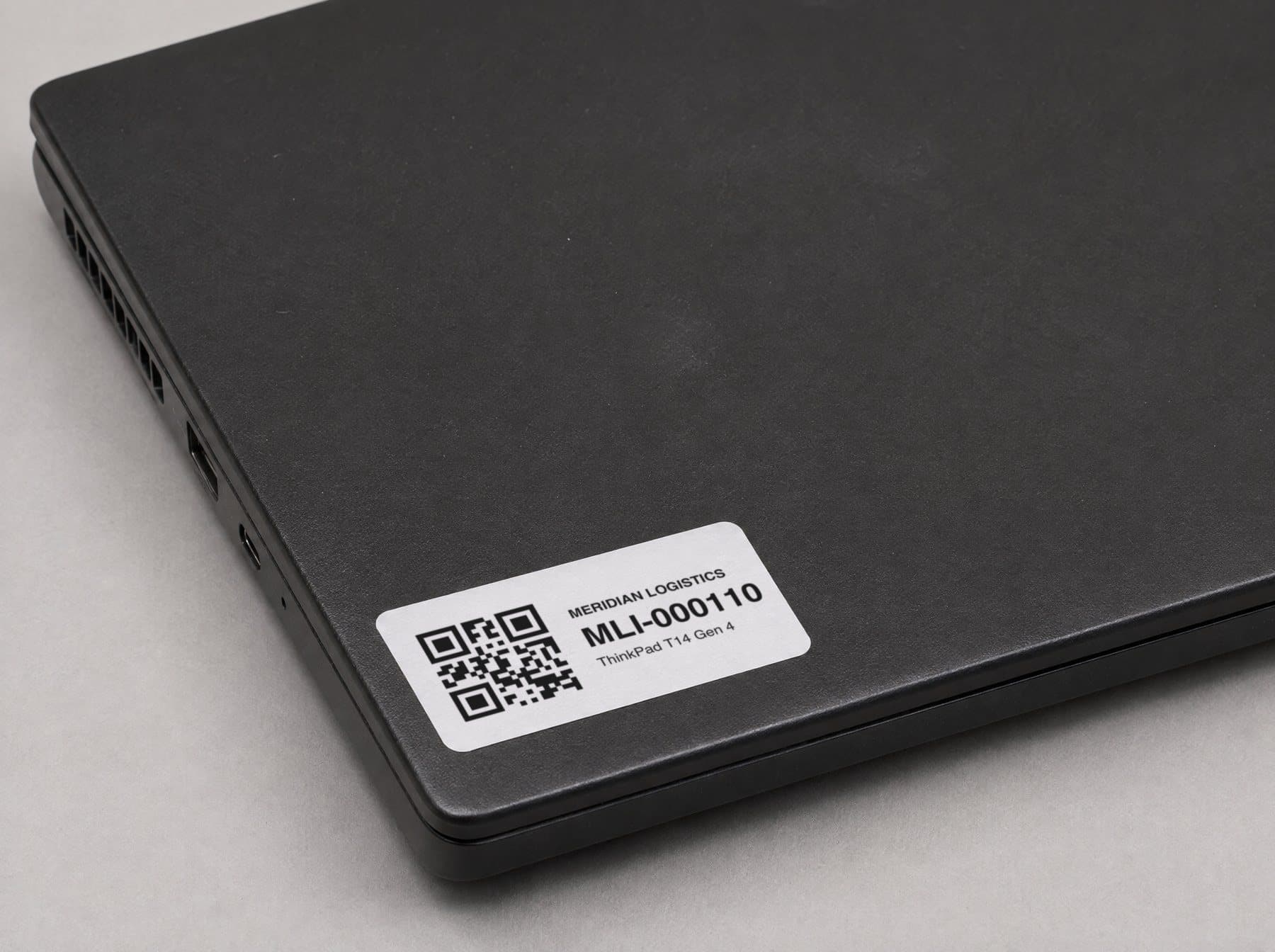
| Laptops | 50 × 25 mm | Lid, bottom-right corner. Visible when closed and stacked. |
| Desktops and servers | 50 × 25 mm | Front panel, away from vents |
| Monitors | 38 × 25 mm | Back, lower edge, readable without unplugging |
| Phones and tablets | 38 × 25 mm | Back of the device or inside the case |
| Switches, firewalls, access points | 38 × 25 mm | Front or top face, not on a removable panel |
| Printers and projectors | 50 × 25 mm | Side panel at standing height |
Use polyester labels on devices. Paper lifts at the corners within months on a warm laptop lid.
Access
Admins manage. Everyone else scans.
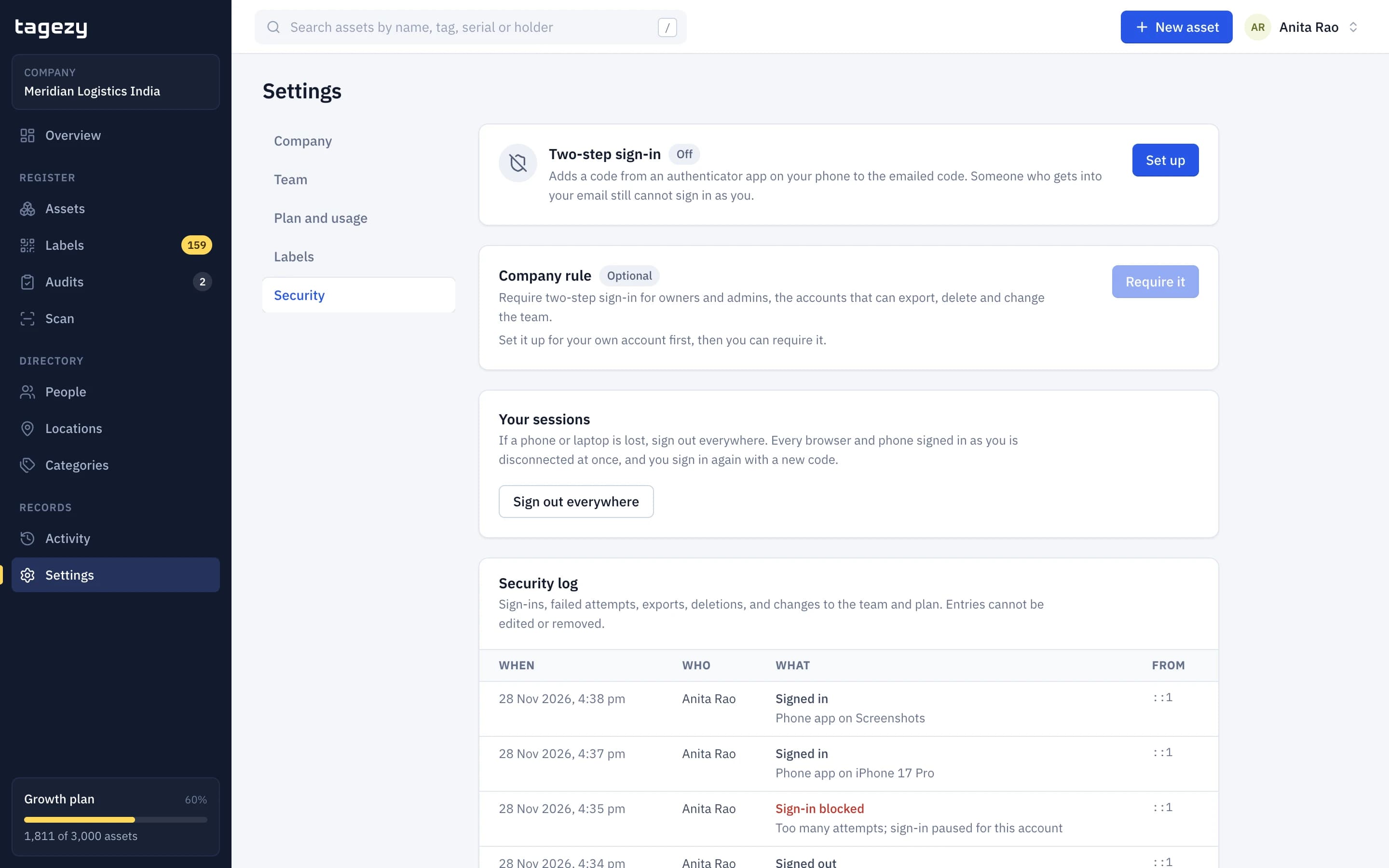
Members can scan, assign, return, move and change status. Only admins can add, import, delete or export. Only owners change the team and the plan.
Every sign-in, export and deletion is written to a security log that cannot be edited. A company can require two-step sign-in for owners and admins.
Questions buyers ask
What is IT asset tagging?
IT asset tagging is labelling each device a company owns with a unique tag and recording that tag against the device's serial number, holder and location. It answers three questions fast: which devices do we own, who has each one, and where is it.
Does this replace an MDM or a network discovery tool?
No. Those tools see devices that are switched on and connected. A physical tag and a register cover what they cannot: monitors, docks, projectors, spares in a cupboard, and who was handed what.
Can we record the serial number and warranty?
Yes. Each asset has fields for brand, model, serial number, purchase date, purchase cost and warranty end date. They can be imported from your existing sheet.
How do we handle devices with remote staff?
Assign the device to the person and place it in the working-from-home location. The person scans the label on their own device with the app, and the register shows when it was last scanned. On Lite and above, an audit lists who has confirmed and who has not.
Should the label go on the charger and the bag too?
Tag what you would chase if it went missing. Most teams tag the laptop, monitor, dock and phone, and treat chargers, cables and bags as consumables.
See it with your own asset list
Send us a spreadsheet of 20 assets. We will import it, print the labels and walk you through a scan and an audit on a call.