QR asset labels
QR code asset labels, printed from your browser.
Choose the assets, choose the label size, download a PDF. The file is made at the exact size of the label, so it prints on a thermal label printer or on A4 label sheets without adjusting anything.
Print queue
Everything without a label, in one list.
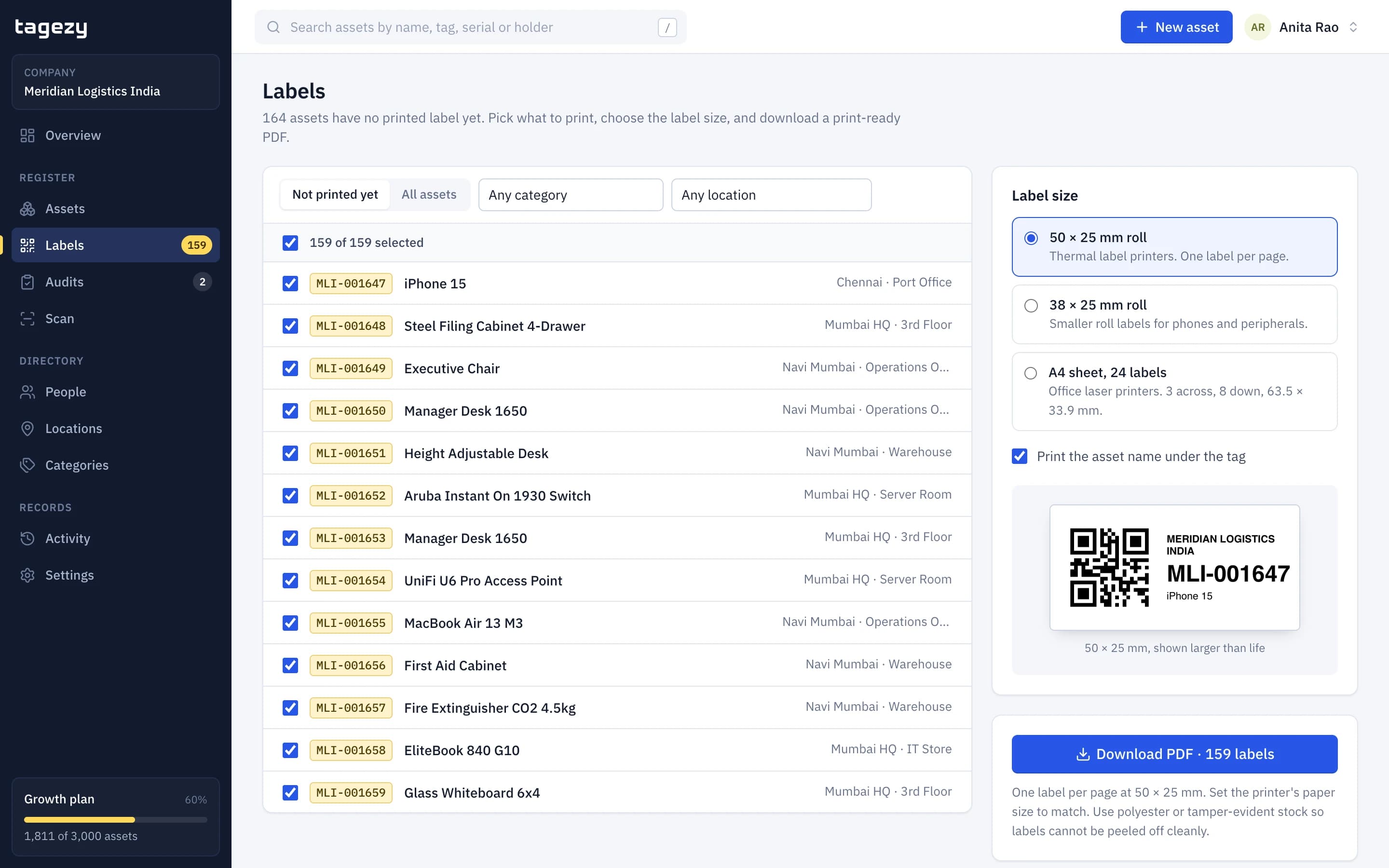
The Labels screen starts with every asset that has no printed label yet. Untick what you do not want, or filter by category and location.
The preview is drawn from the same measurements as the PDF. What you see is what prints.
Sizes
Three label sizes.
| Label | Printer | Suits |
|---|---|---|
| 50 × 25 mm roll | Thermal label printer. One label per page. | Laptops, desktops, furniture, most equipment |
| 38 × 25 mm roll | Thermal label printer. One label per page. | Phones, monitors, peripherals and small devices |
| A4 sheet of 24 (63.5 × 33.9 mm) | Office laser printer. 3 across, 8 down. | Offices without a label printer. A part-used sheet can start at any position. |
Print at 100% scale. For labels that must not be peeled off cleanly, use polyester or tamper-evident stock.
On the label
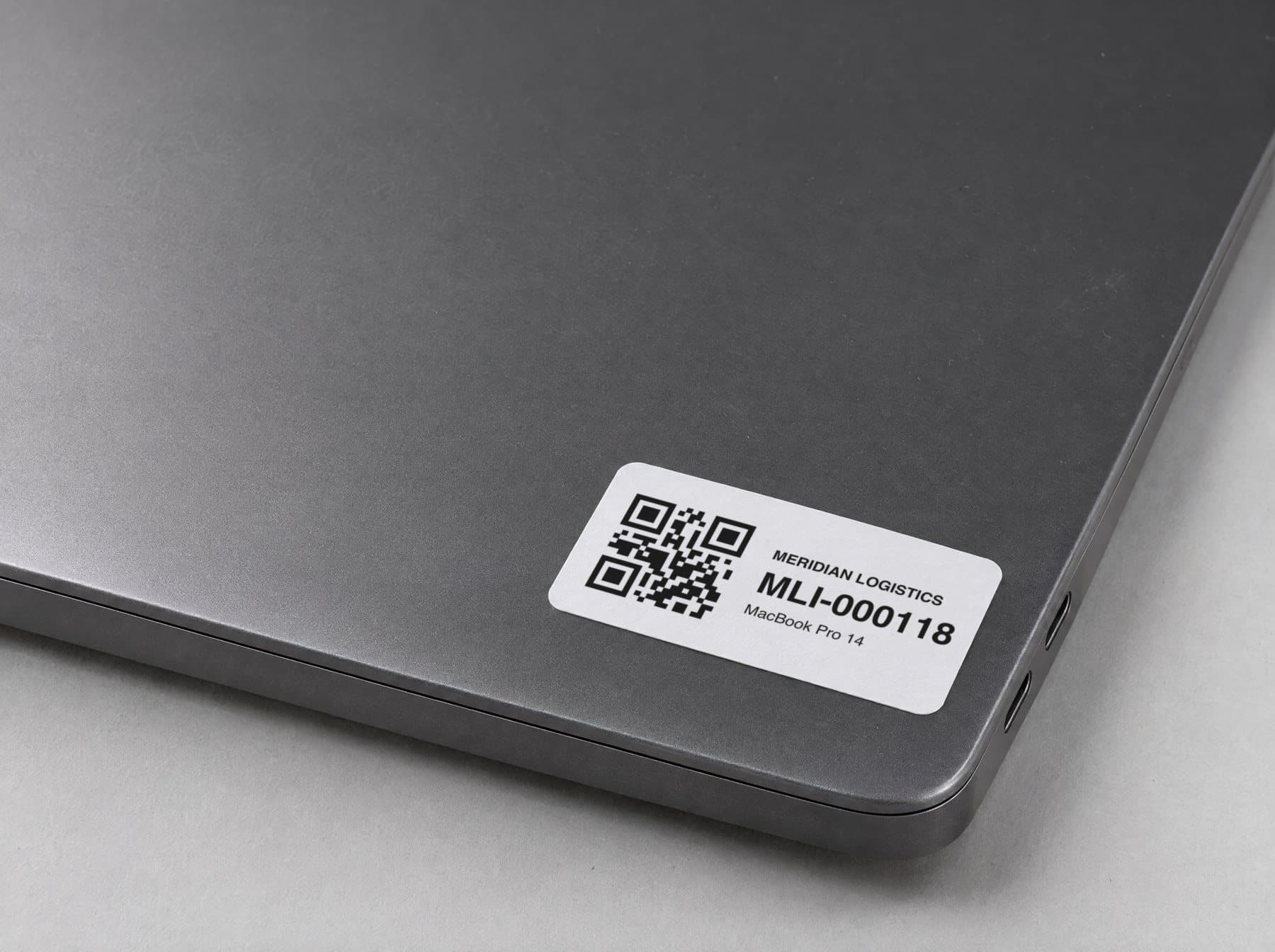
Four things, and why each is there.
- A QR code
- Holds a 10-character code and nothing else. Printed with error correction that keeps it readable when part of the label is scratched.
- Your company name
- So a found asset can be returned, and a label cannot be mistaken for a vendor's sticker.
- The tag
- Your prefix and six digits, large enough to read at arm's length. If the code is damaged, type the tag into the app.
- The asset name
- Optional. Helps the person sticking 200 labels match the right label to the right asset.
Privacy
A stranger who scans it learns nothing.
Many asset tags carry a web link that opens a page about the asset. Ours do not. The code is a random string that means something only inside your signed-in app.
That also means your labels do not depend on a web address. They keep working whatever happens to a domain name.
After printing
Printed labels leave the queue.
After you download a PDF, the screen asks whether the labels printed properly. Confirm, and those assets are marked as labelled, with the date in their history.
A damaged label can be reprinted at any time from the asset's page. The code does not change.
Questions buyers ask
What is a QR code asset tag?
A QR code asset tag is a label fixed to a physical asset, carrying a QR code that identifies that one asset in a register. Scanning the code with a phone opens the asset's record: what it is, where it should be and who holds it.
Which printers work?
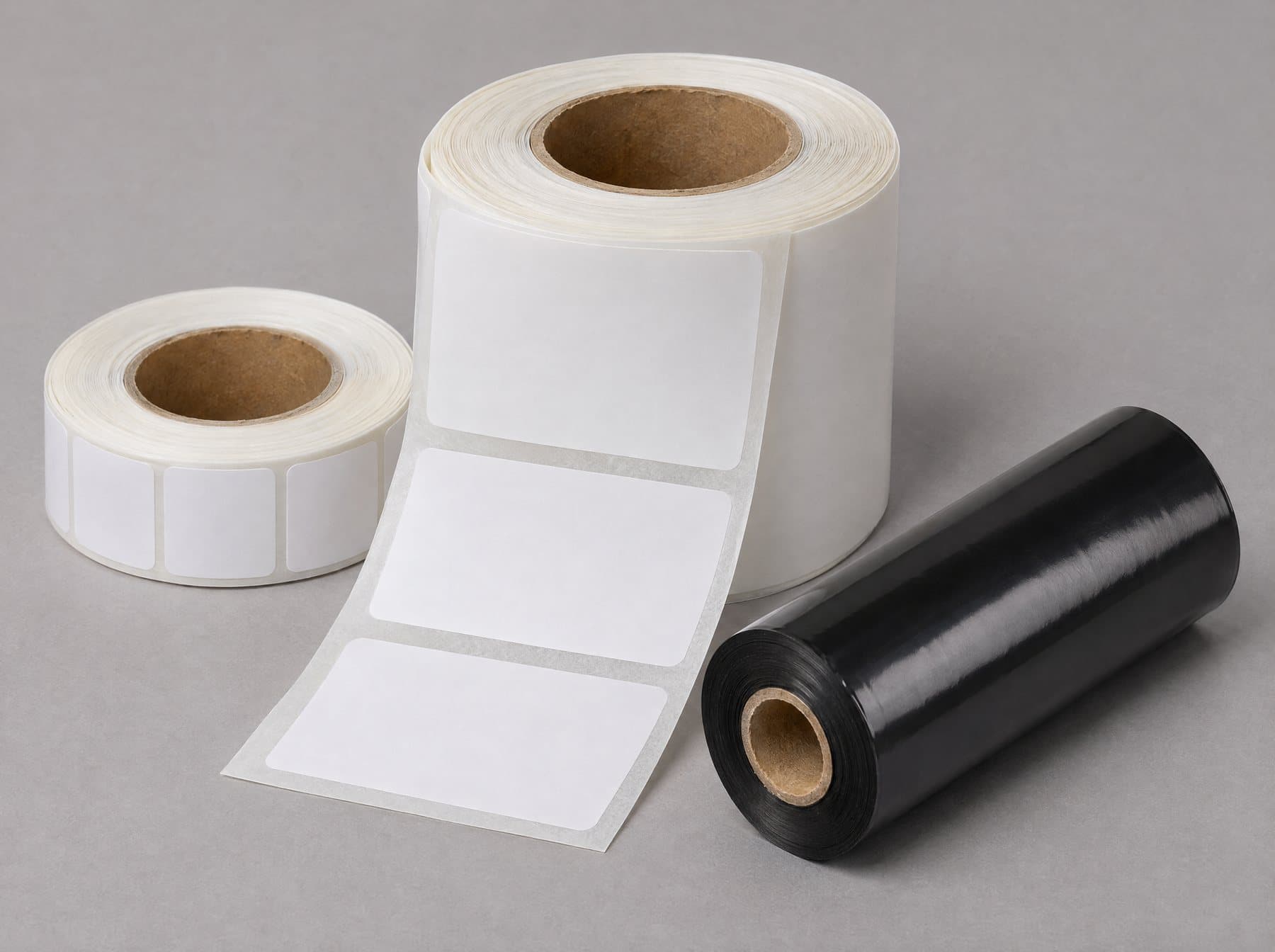
Any printer that prints a PDF. Thermal transfer label printers with 50 × 25 mm or 38 × 25 mm rolls give the most durable result. An office laser printer with A4 sheets of 24 labels works where there is no label printer.
How small can the QR code be printed?
On the 38 × 25 mm label the code is about 19 mm across including its margin. The code holds only 10 characters, which keeps its cells large and easy for a phone camera to read at that size.
What label material should we buy?
Polyester with a permanent adhesive for most indoor assets. Tamper-evident or destructible labels where you need to see if someone tried to remove one. Paper labels are fine for a trial and wear out fast.
Can we reprint a label?
Yes, any number of times. Each asset keeps the same code for life, so a reprint replaces a damaged label without changing anything in the register.
See it with your own asset list
Send us a spreadsheet of 20 assets. We will import it, print the labels and walk you through a scan and an audit on a call.