Use case: remote and hybrid teams
Asset tracking when the laptops live in people's homes.
A remote team's equipment is spread across as many addresses as it has people. Give every device a label and a holder before it ships. After that, each person confirms their own equipment with a phone.
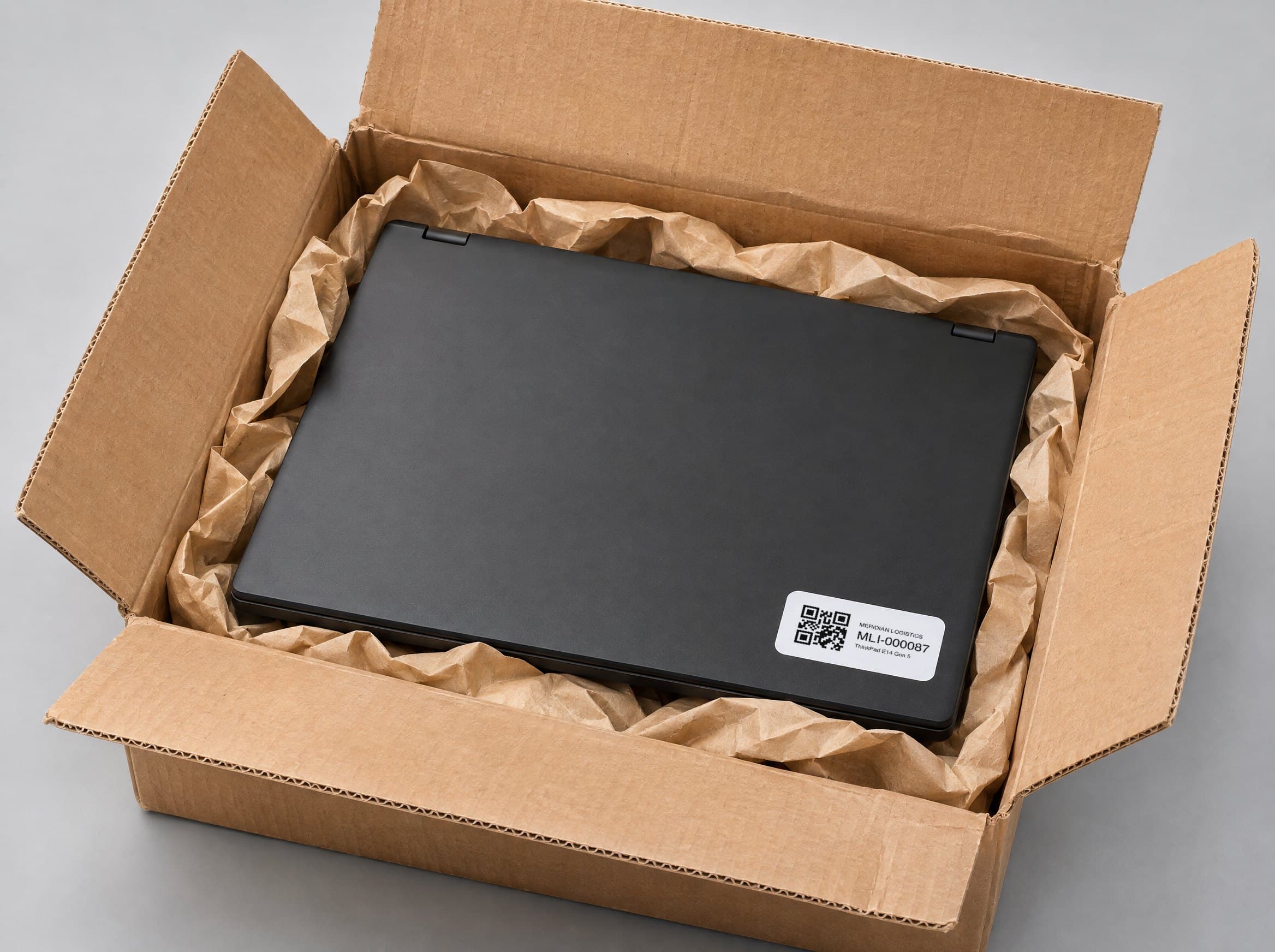
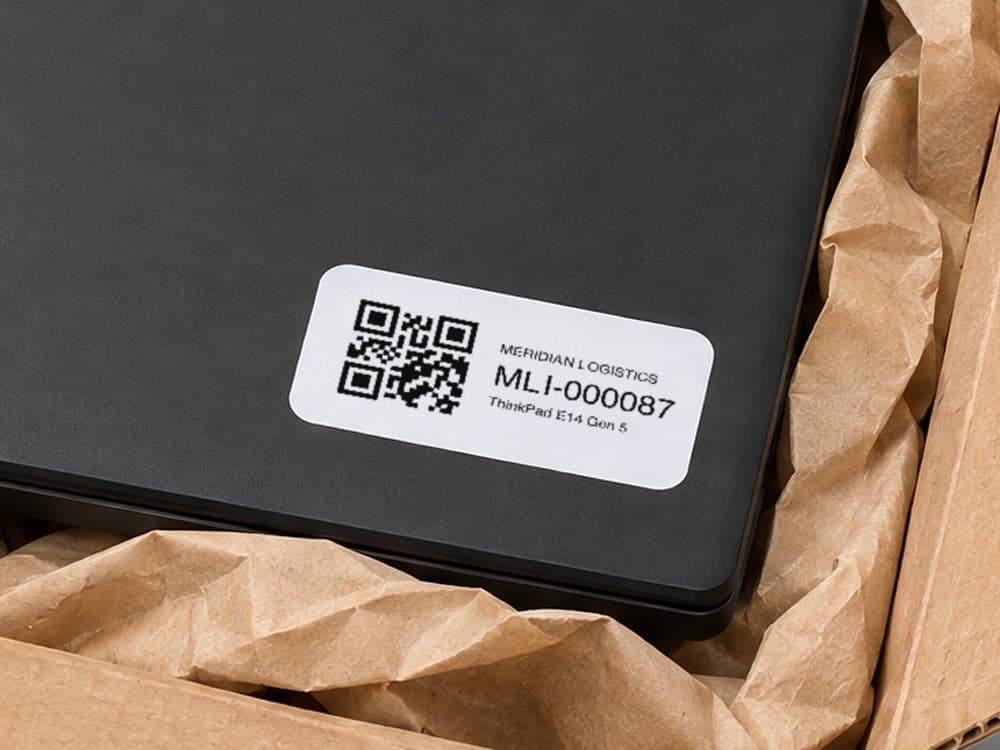 Detail: the label
- Assign and scan
- Every plan, Free included
- People at home
- Not counted as an office
- Audits
- Lite and up
- Geo-tagged scans
- Lite and up
Before it ships
Tag it at the desk, not after it has left.
The cheapest moment to label a laptop is before the courier collects it.
Add it to the register
Serial number, purchase date, cost and warranty. A tag such as AST-000087 is issued.
Print and stick the label
Lid, bottom-right corner. Monitors and docks take the smaller 38 × 25 mm label.
Assign it to the person
Scan the label, tap Assign, pick their name. The record shows who handed it over and when.
Set where it will live
Move it to the working-from-home location. That place does not count as an office on any plan.
Checking in
Each person confirms their own device.
Everyone who holds a device opens the app at home and scans its label, signed in as themselves. The register shows the date of the last scan and who made it. This works on every plan.
From Lite, start an audit for the working-from-home location. It lists what is still to find, with the holder's name beside each asset. Remind those people, not the whole company.
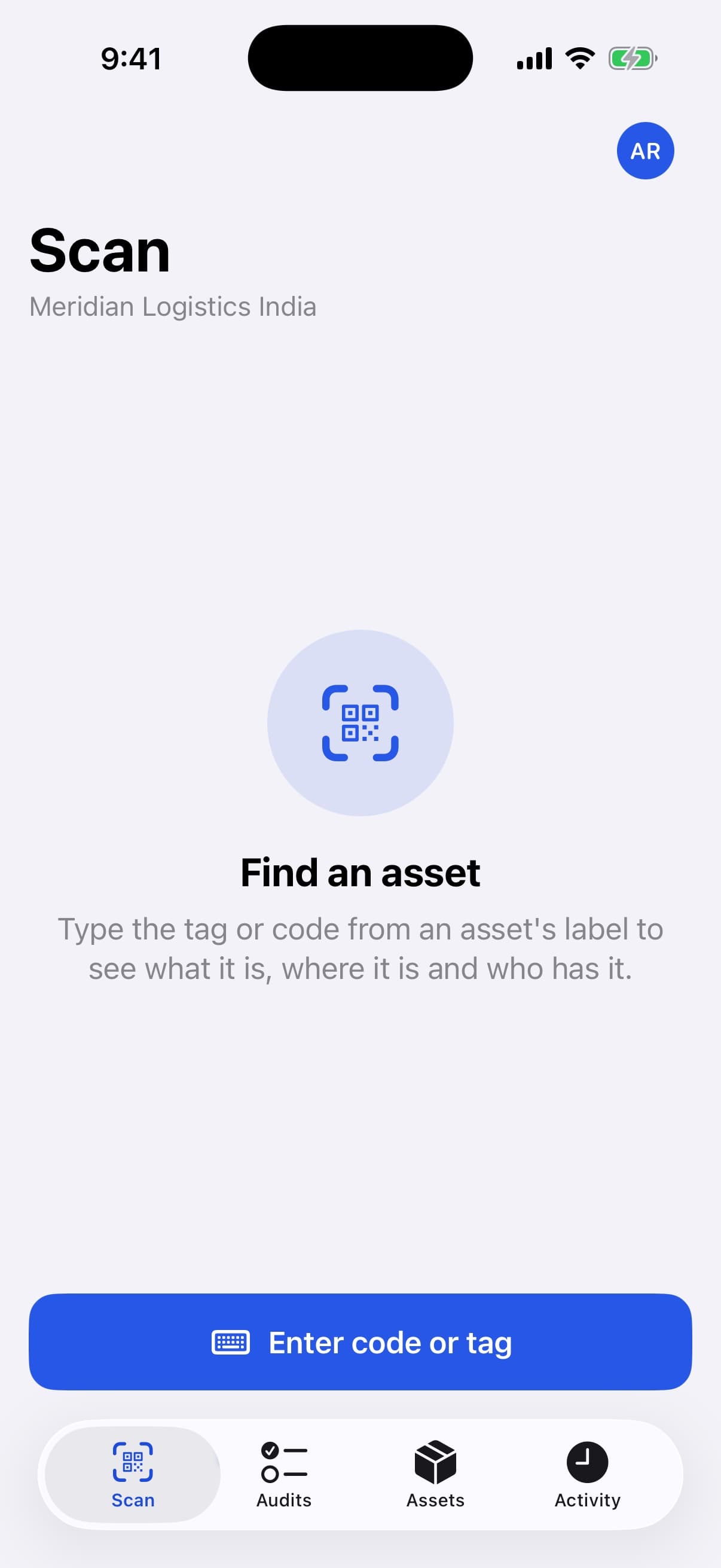
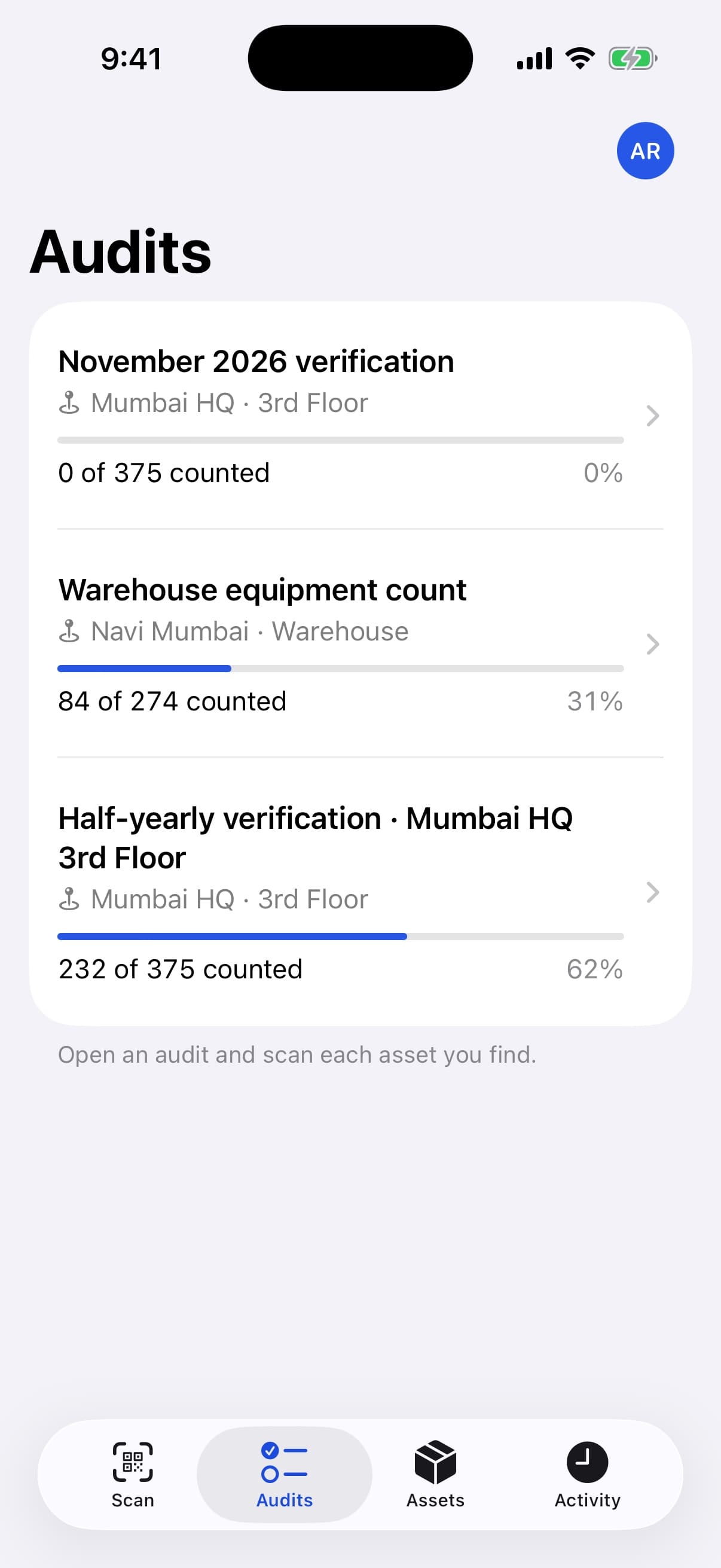
What the register answers
Four questions a remote team gets asked.
- Who has which laptop?
- Search a person's name to see every device they hold.
- What is outside the office?
- Filter the asset list to the working-from-home location.
- When was it last seen?
- Each asset shows the date of its last scan and who scanned it.
- Is it still under warranty?
- A warranty that ends within 60 days is flagged. An expired one is marked in red.
Lite plan and above
Geo-tagged scans: where the scan happened.
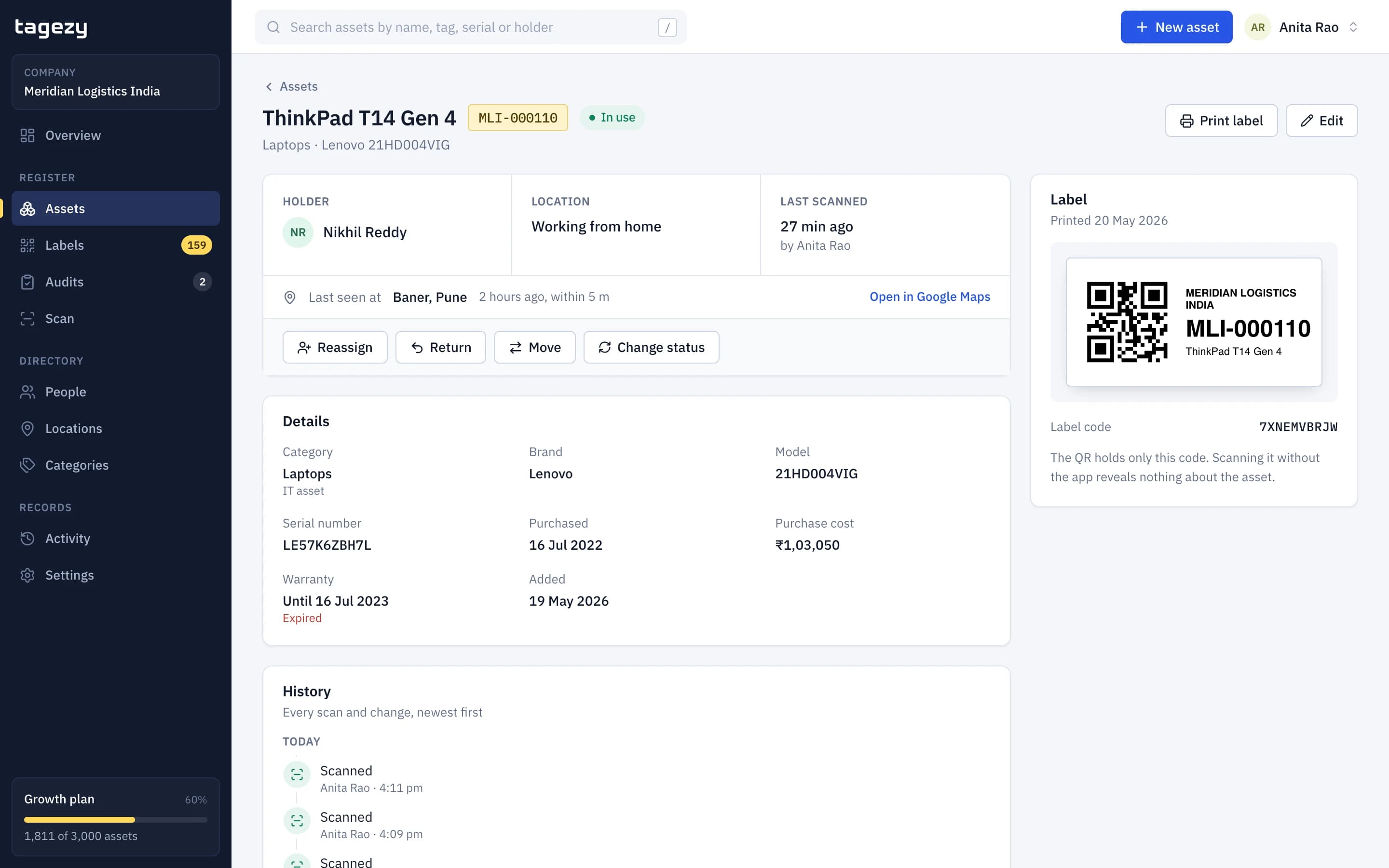
A location is a name you choose, such as Head Office or Working from home. A geo-tagged scan adds the place the phone was when it read the label. The asset's page then shows where it was last seen, how long ago and how exact the reading was, with a link that opens the place in Google Maps.
It stays off until an owner or admin turns on Place of each scan in Settings. The app then asks each person for permission. It reads the phone's position only while a scan screen is open, and a scan works the same for someone who says no.
- For someone at home, the place of a scan is where their home is. Tell your team before you turn it on.
- There is no map of every asset, and nothing is recorded between scans.
What to tag at home
Label size by item.
| Item | Label | Where to stick it |
|---|---|---|
| Laptop | 50 × 25 mm | Lid, bottom-right corner |
| Monitor | 38 × 25 mm | Back, lower edge |
| Phone or tablet | 38 × 25 mm | Back of the device or inside the case |
| Dock, webcam, router | 38 × 25 mm | A flat face that does not come off |
| A chair or desk you paid for | 50 × 25 mm | Under the seat, or on the desk's back edge |
Treat chargers, cables and headsets as consumables, unless you would chase one that went missing.
Questions buyers ask
How do we track laptops for employees who work from home?
Label each laptop before it ships, assign it to the person in the register and place it in a working-from-home location. A few times a year, ask each person to scan the label on their own device.
Which plan does a remote team need?
Free, up to 100 assets. The working-from-home place does not count as an office, so it fits beside your one office. Lite adds audits, which list who has confirmed their device and who has not.
Does each employee need an account?
To scan, yes. Add them as a Member. There is no limit on team members on any plan. A person who only holds assets and never scans does not need an account.
Can it show where a laptop is on a map?
Not as a map of every asset. With geo-tagged scans turned on, each asset's page shows the place of its last scan, with a link that opens it in Google Maps. That is part of the Lite plan and above.
Does it follow the laptop's live location?
No. It is a register and a label, not software installed on the device. It records scans, and a person makes each scan. With geo-tagged scans on, the phone's position is read at the moment of a scan and at no other time.
Do people have to share their location?
No. Geo-tagged scans are off until an owner or admin turns them on. The iPhone then asks each person for permission. A scan from someone who says no works the same and carries no place.
What is kept with a geo-tagged scan?
The phone's position, how exact the phone said it was, and a short place name such as Baner, Pune. If the company turns the setting off, the places already recorded are hidden from the register. They are not deleted.
What if the employee has an Android phone?
The dashboard has a Scan page that runs in a phone's browser, with nothing to install. It shows the asset, takes a typed tag where there is no camera, and counts into an audit. It has not yet been tried on a real Android phone, and it does not record the place of a scan. Failing that, an admin can see the label on a video call and type its tag into the app.
How do we get equipment back when someone leaves?
Search their name to list what they hold. Scan each item back to stock when the courier delivers it. What stays on the list is what to chase.
See it with your own asset list
Send us a spreadsheet of 20 assets. We will import it, print the labels and walk you through a scan and an audit on a call.