Asset register
Asset register software for IT and non-IT assets.
One list of everything the company owns. Each asset has a tag, a category, a status, a location, a holder and a history. Import the spreadsheet you have and work from there.
Import
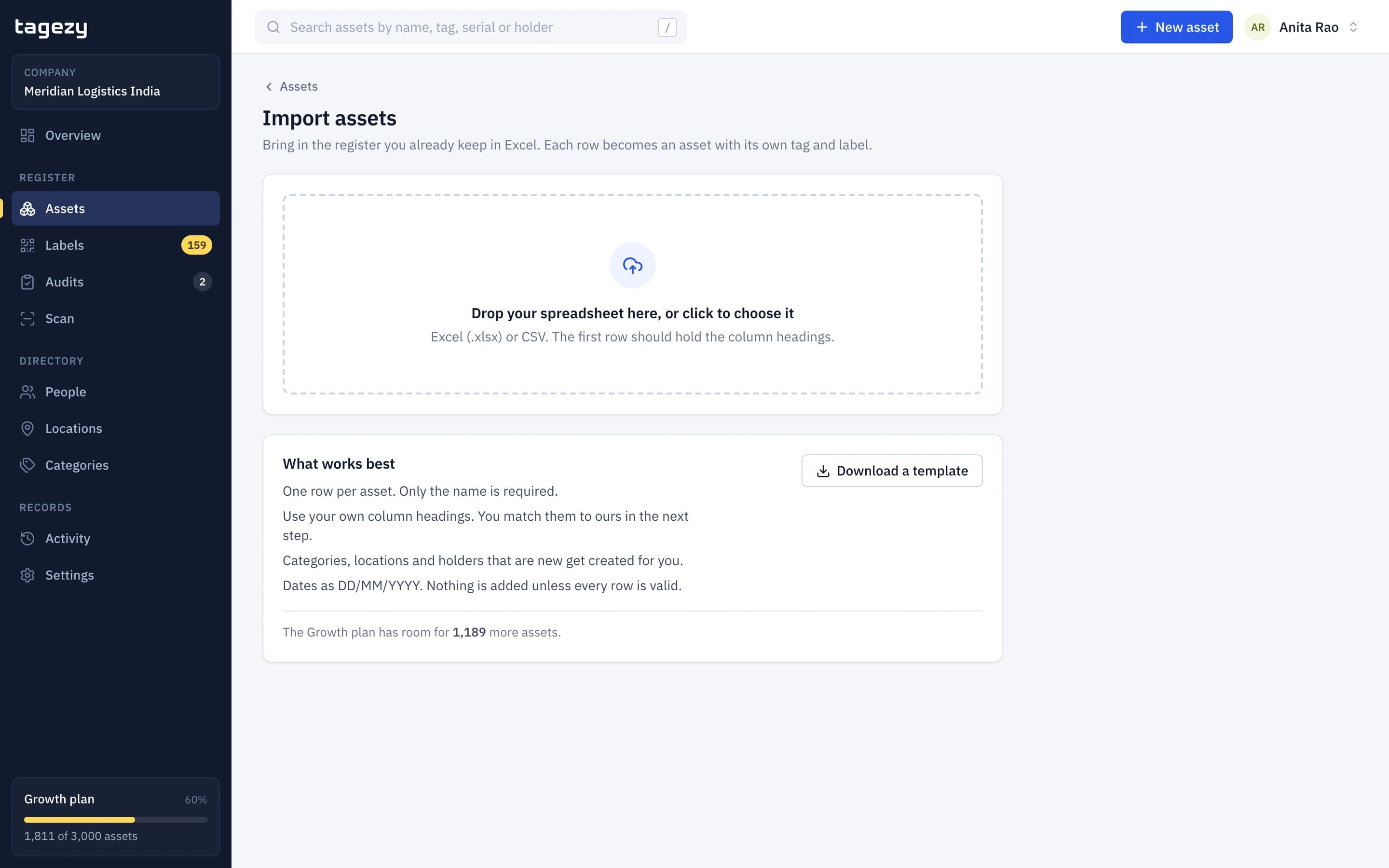
Bring in the Excel sheet you already keep.
Upload an .xlsx or .csv file with your own column headings. The import reads the headings, matches what it recognises and lets you set the rest.
Nothing is added unless every row is valid. If row 212 has a bad date, you are told so, and the register stays untouched until you fix it.
- Only the asset name is required. Category, location, holder, serial number, purchase date, cost and warranty are optional.
- Categories, locations and people that do not exist yet are created for you.
- Dates are read day first, as written in India: 31/03/2026.
Fields
What the register records for each asset.
| Field | What it holds | Example |
|---|---|---|
| Tag | Your prefix and a six-digit number, assigned when the asset is added | AST-000123 |
| Name | What people call it | ThinkPad T14 Gen 4 |
| Category | A group you define, marked IT or non-IT | Laptops (IT) |
| Status | In use, In stock, In repair, Retired, Missing | In use |
| Location | A floor, room or store someone can walk to | Mumbai HQ · 3rd Floor |
| Holder | The person it is assigned to. They do not need an account | Nikhil Reddy |
| Brand, model, serial number | As on the invoice or the device | Lenovo · 21HD004VIG |
| Purchase date and cost | For the finance team and for warranty checks | 15 Jul 2022 · ₹1,03,050 |
| Warranty until | Flagged on the asset page when it is within 60 days or expired | 15 Jul 2025 |
| Last scanned | When a phone last read its label, and who did | 19 days ago by Sandeep Pawar |
History
Every asset keeps its own record.
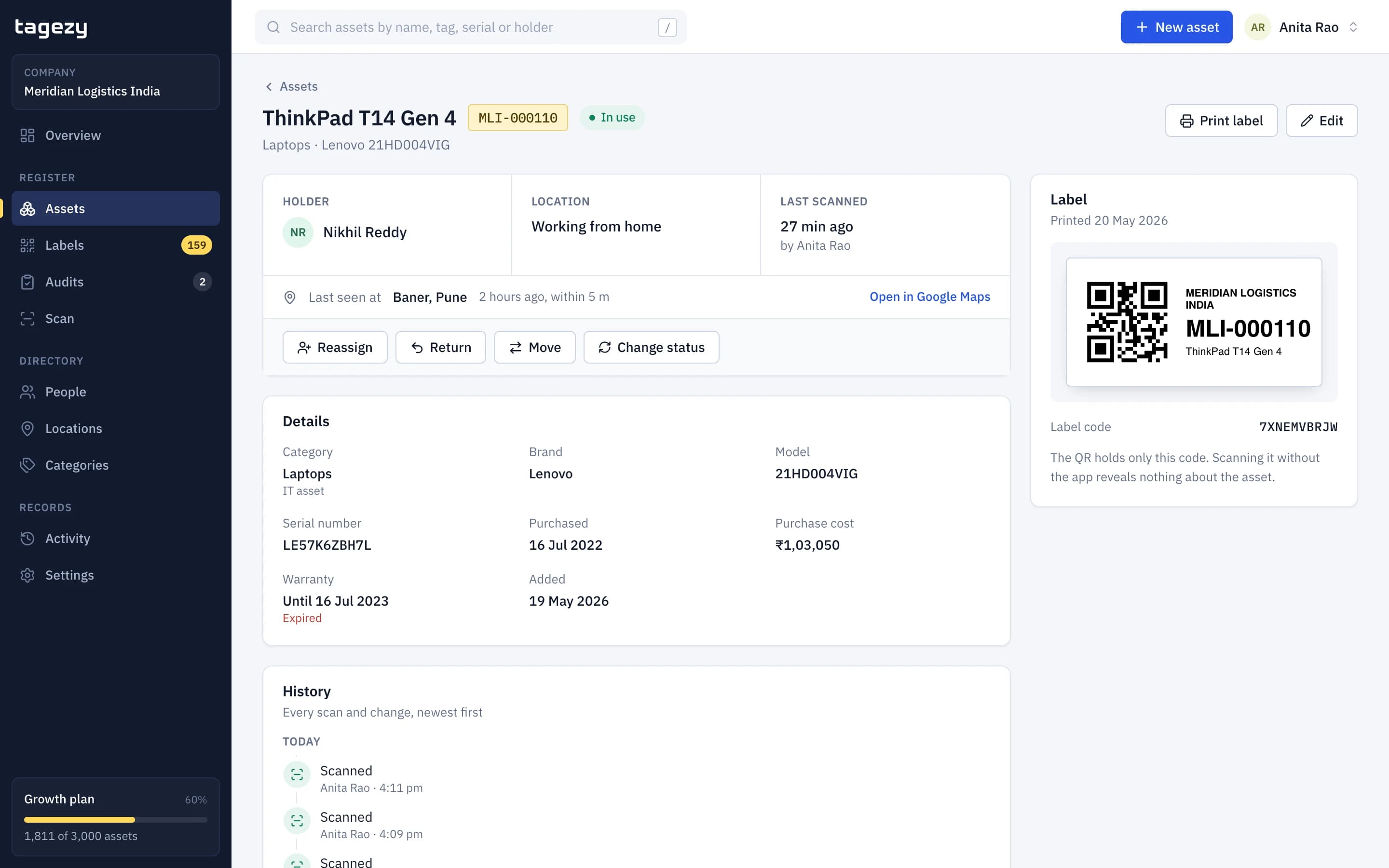
Open an asset to see who holds it, where it is and when it was last seen. Below that is its history: every scan, assignment, return, move, status change and label print, with the person and the time.
Assign, return, move and change status from the same page. Assigning an asset in stock puts it in use. Returning it puts it back in stock.
Working with the list
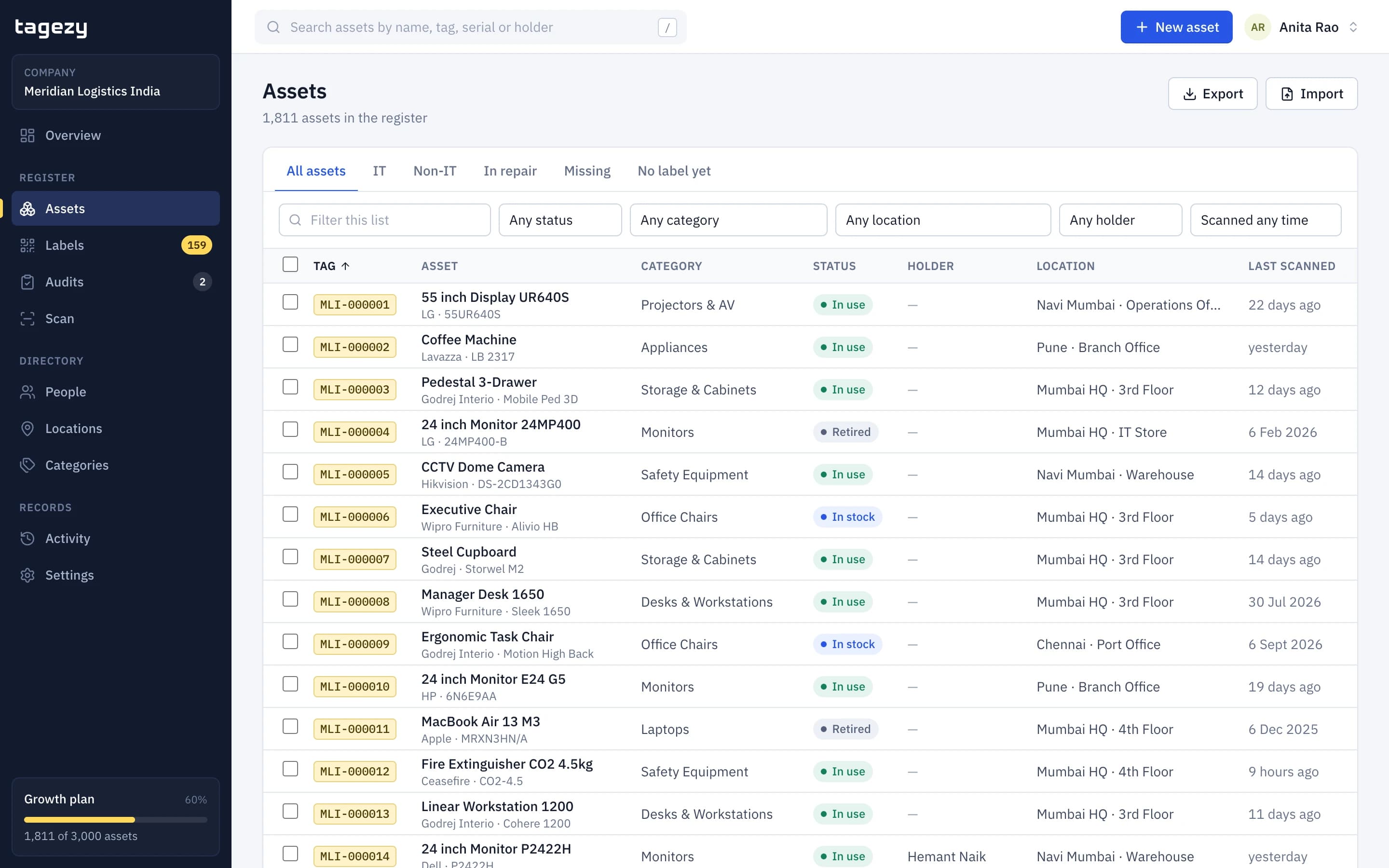
Find any asset in a few keystrokes.
- Search
- By name, tag, serial number, brand, model or holder. Press / anywhere to jump to search.
- Filters
- Status, category, location, with or without a holder, and when it was last scanned.
- Saved views
- All assets, IT, non-IT, in repair, missing, and assets with no label yet.
- Bulk actions
- Select rows to print labels, change status or delete. Admins can export the filtered list to a spreadsheet.
Questions buyers ask
What is an asset register?
An asset register is the list of physical assets a company owns, with enough detail to identify each one: a unique tag, a description, where it is, who holds it, what it cost and when it was bought. Finance uses it for the books. IT and admin use it to know what is where.
Can IT assets and furniture live in the same register?
Yes. Every category is marked IT or non-IT, so one register holds both and each team filters to its own side. The overview shows the split.
What happens if our spreadsheet has mistakes?
The import checks every row first. If any row has an empty name, an unknown status or a date it cannot read, nothing is imported and you get a list of row numbers with the reason for each.
Do the people who hold assets need accounts?
No. Holders are a simple list of names with an optional department, employee code and email. Only people who use the dashboard or the scanning app need to sign in.
Can we get our data out?
Yes. An admin can export the register, or any filtered part of it, to a spreadsheet at any time. Each audit exports too.
See it with your own asset list
Send us a spreadsheet of 20 assets. We will import it, print the labels and walk you through a scan and an audit on a call.