Guide · 6 minute read
How to track company laptops when employees work from home
Updated
The short answer
To track laptops held by remote employees, label each device before it ships, record it against the person and the city it is going to, and ask each person to scan the label on their own device a few times a year. When someone leaves, list what they hold and mark each item returned only when it is in your hands.
A laptop in an office can be found by walking to a desk. A laptop in someone's flat in another city can only be found through the record. So the record has to be right before the device leaves, and it has to be easy to confirm afterwards.
This plan needs no software on the device. It works for laptops, and also for the monitors, docks and phones that device management tools cannot see.
1. Decide what counts as company equipment at home
Write the list once, so that every joiner is treated the same way.
| Usually tracked | Usually not tracked |
|---|---|
| Laptop | Charger and cables |
| Monitor | Mouse and keyboard |
| Phone or tablet | Headset |
| Dock, webcam, router you supplied | Laptop bag, stand |
| A chair or desk you paid for | Stationery |
The test is the same as in an office. If you would ask for it back when the person leaves, track it.
2. Tag and record it before the courier comes
The cheapest moment to label a laptop is while it is on your desk. Once it has shipped, every correction is a phone call.
Before it leaves:
- Add it to the register with its serial number, purchase date, cost and warranty end date.
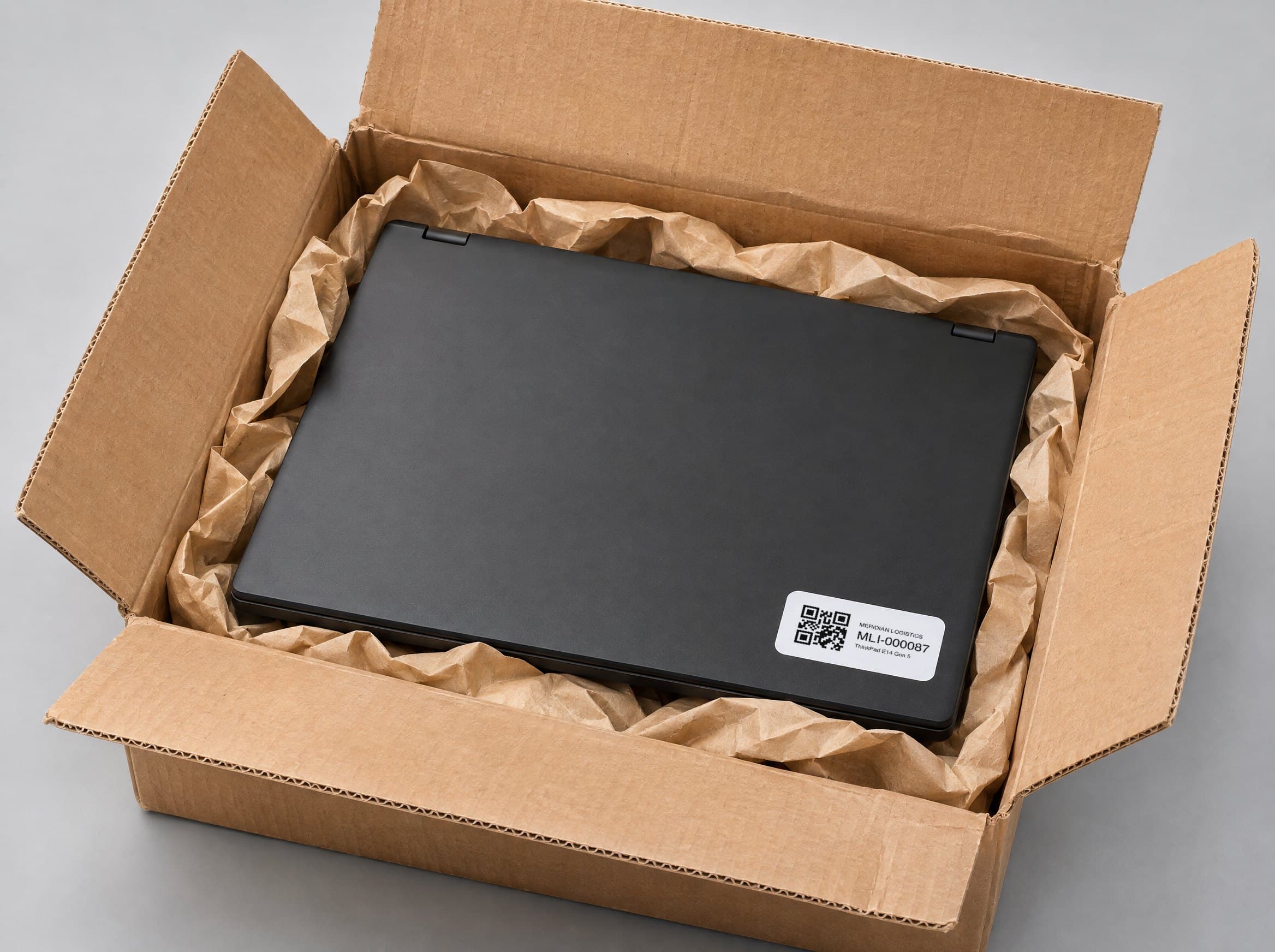
- Print its label and stick it on the lid, bottom-right corner. Polyester holds on a warm lid. Paper lifts.
- Scan the label once to check that it opens the right record.
- Photograph the device and the open box if your policy asks for proof of condition.
Labels for the monitor and dock can go in the same box, already stuck on.
3. Record the person and the place
Two fields do most of the work.
| Field | Example | Why it matters |
|---|---|---|
| Holder | Priya Nair | The person responsible for the device |
| Location | Pune, or Remote | Where to look, and how to group a check |
| Date handed over | 14 June 2026 | The start of their responsibility |
| Handed over by | The person who shipped it | Who to ask if the record is wrong |
A city is enough for the location. The register does not need a home address. Your HR records already hold that, and fewer copies of it are better.
4. Write the policy on one page
People look after equipment better when the rules are short and written down. One page should answer:
- What they hold. The list from step 1, with tags.
- What to do if something breaks. Who to tell, and that they should not arrange a repair themselves.
- What to do if something is lost or stolen. Who to tell, how fast, and whether a police report is needed.
- What happens when they leave. That everything on the list comes back, who pays the courier and who packs the box.
- What the company records. The device, the holder, the city, and each time a label is scanned. Say this plainly. Nobody likes to discover a record about them later.
Ask each person to confirm they have read it when the device arrives.
5. Check without visiting anyone
In an office, a count is a walk with a phone. For a remote team, each person does their own part.
- Start a count for the remote location.
- Ask each person to scan the label on their own device, signed in as themselves.
- Watch the list of what is still to find. Each line has a holder's name.
- Remind those people. Close the count when the list is empty or explained.
Someone without a suitable phone can hold the label up on a video call. Type the tag printed beside the code and the asset is counted.
Two to four checks a year is a sensible rhythm for most teams. Run an extra one before your year-end, so that your fixed asset verification includes the devices that are not in the building.
6. Handle repairs and swaps as changes of status
A device that goes to a service centre is still yours and still on the register. Change its status to in repair and note where it went. If the person gets a loan device meanwhile, assign that one to them too.
When a laptop is replaced, return the old one to stock in the record on the day it arrives back, not on the day the new one ships. In between, the person holds two.
7. Getting it back
Start on the day someone resigns, not on their last day.
- List everything they hold. One search by name.
- Send the list to them and to their manager, with the return address and who is paying the courier.
- Mark each item returned when it is in your hands and you have scanned it. A tracking number is not a return.
- Check condition against the notes made at handover.
What is still on the list after the last day is what you chase. Without the list, you would not know there was anything to chase.
What a label cannot do
A label and a register tell you what was handed to whom, and when it was last seen by a person. They do not report where a device is at this moment, lock it, or wipe it. Device management software does that for laptops and phones that are switched on. The two answer different questions, and most remote teams need both.
Doing this in Tagezy
Assigning, moving and returning are each a scan and two taps, and every team member can sign in on their own iPhone. That much is in the Free plan, which holds 100 assets and does not count the working-from-home place as an office. Counts, which Tagezy calls audits, start on the Lite plan. From Lite a company can also turn on the place of each scan. For someone at home that is where their home is, so tell people before you switch it on. The remote and hybrid teams page shows the steps.