How it works
From a spreadsheet to a verified register in four steps.
Most companies already have an asset list in Excel and no way to check it against the floor. This is the shortest route from that list to labelled assets and a count you can trust.
Step 1
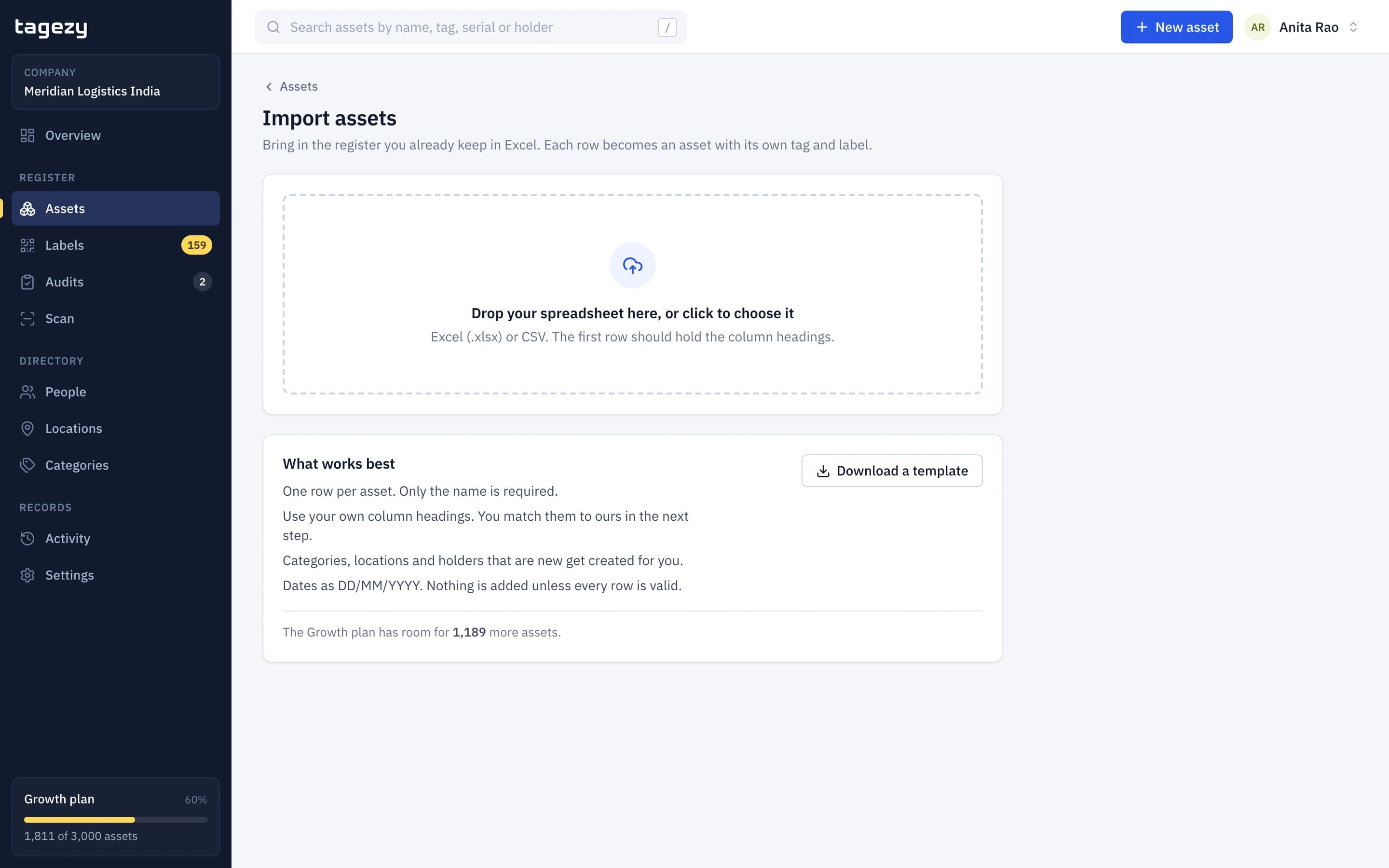
Import the register.
Upload the .xlsx or .csv file you keep today. Your column headings are matched to ours, and you correct any the import could not place.
Each row becomes an asset with its own tag. New categories, locations and holders in the file are created as it goes. If a row is wrong, nothing is imported and you see which rows to fix.
Step 2
Print the labels.
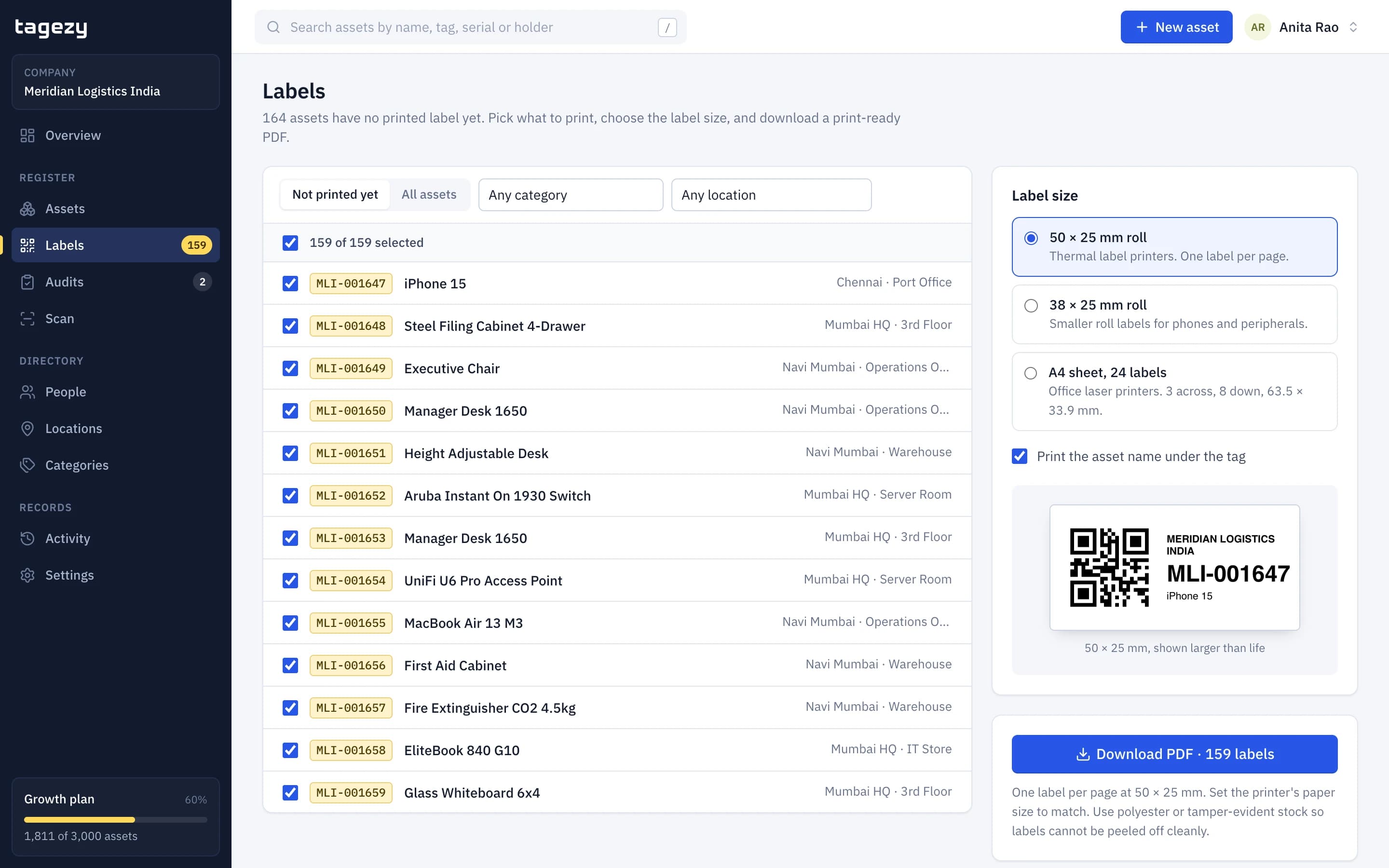
Open Labels. Every asset without a printed label is listed. Choose a size and download one PDF for the lot, sorted by tag.
Print on a thermal label printer, or on A4 label sheets with an office laser printer. Then confirm they printed, and they leave the queue.
Step 3
Stick and scan.
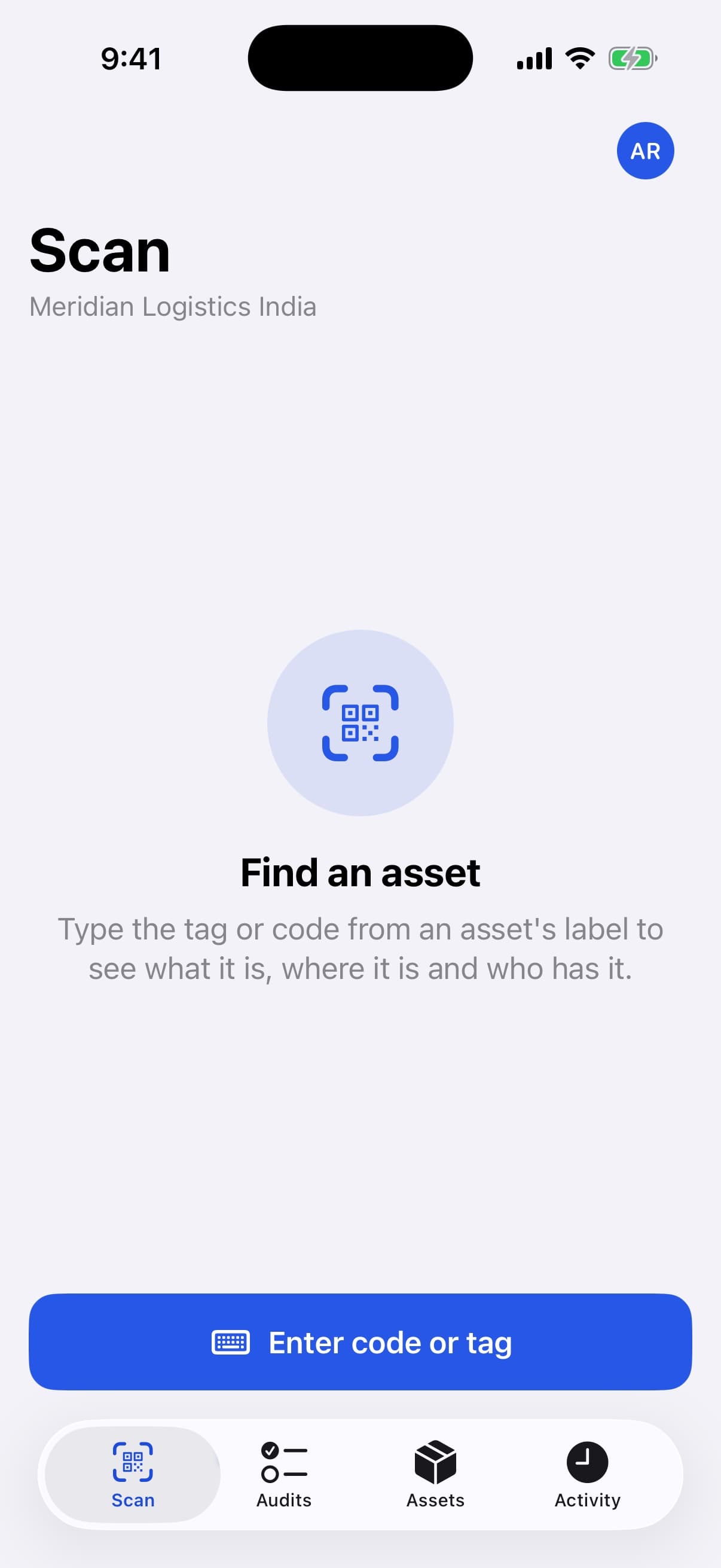
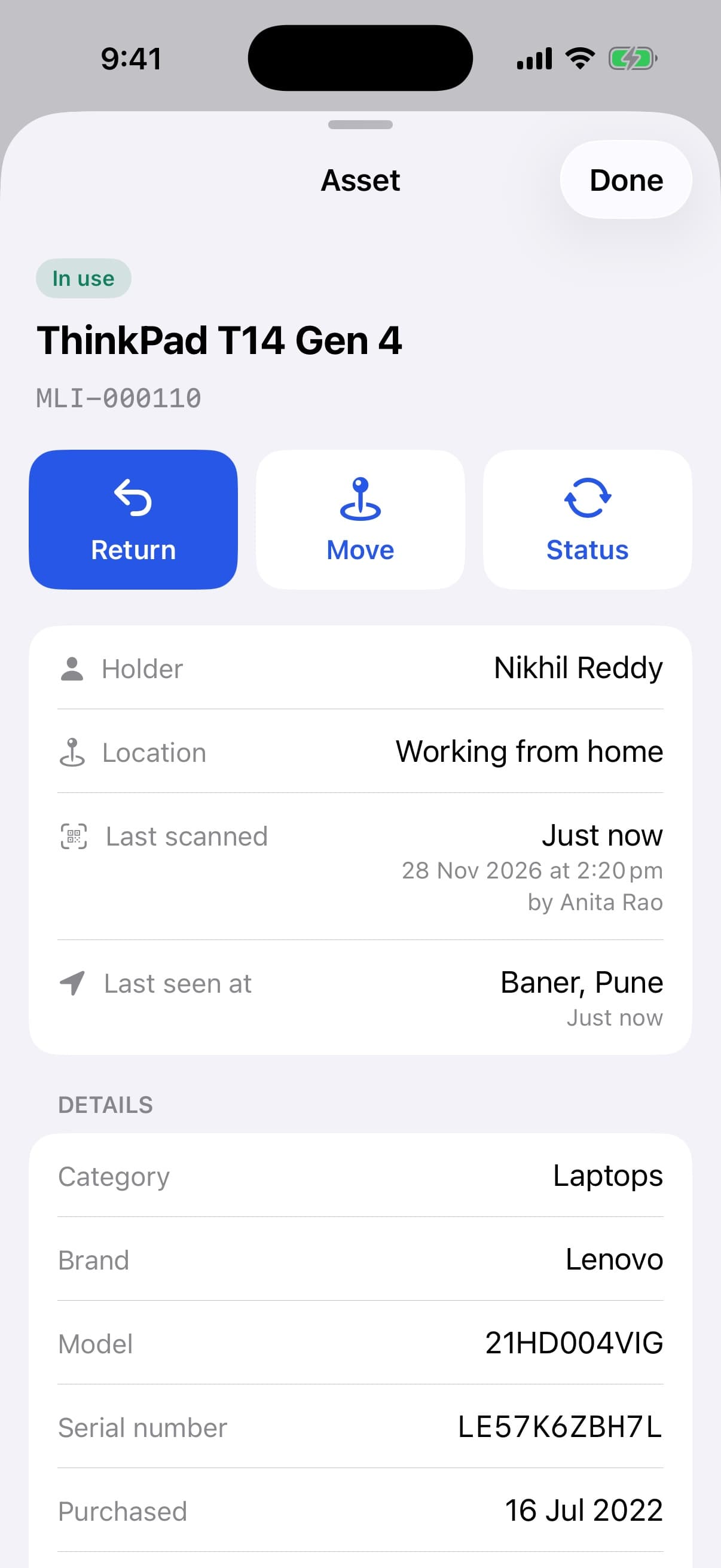
Walk the office with the printed labels. Stick one, scan it with the iPhone app, and check the name on screen matches the asset in front of you. That scan is the proof the label is on the right thing.
While you are there, set the holder and the location if the spreadsheet did not have them.
Step 4
Verify.
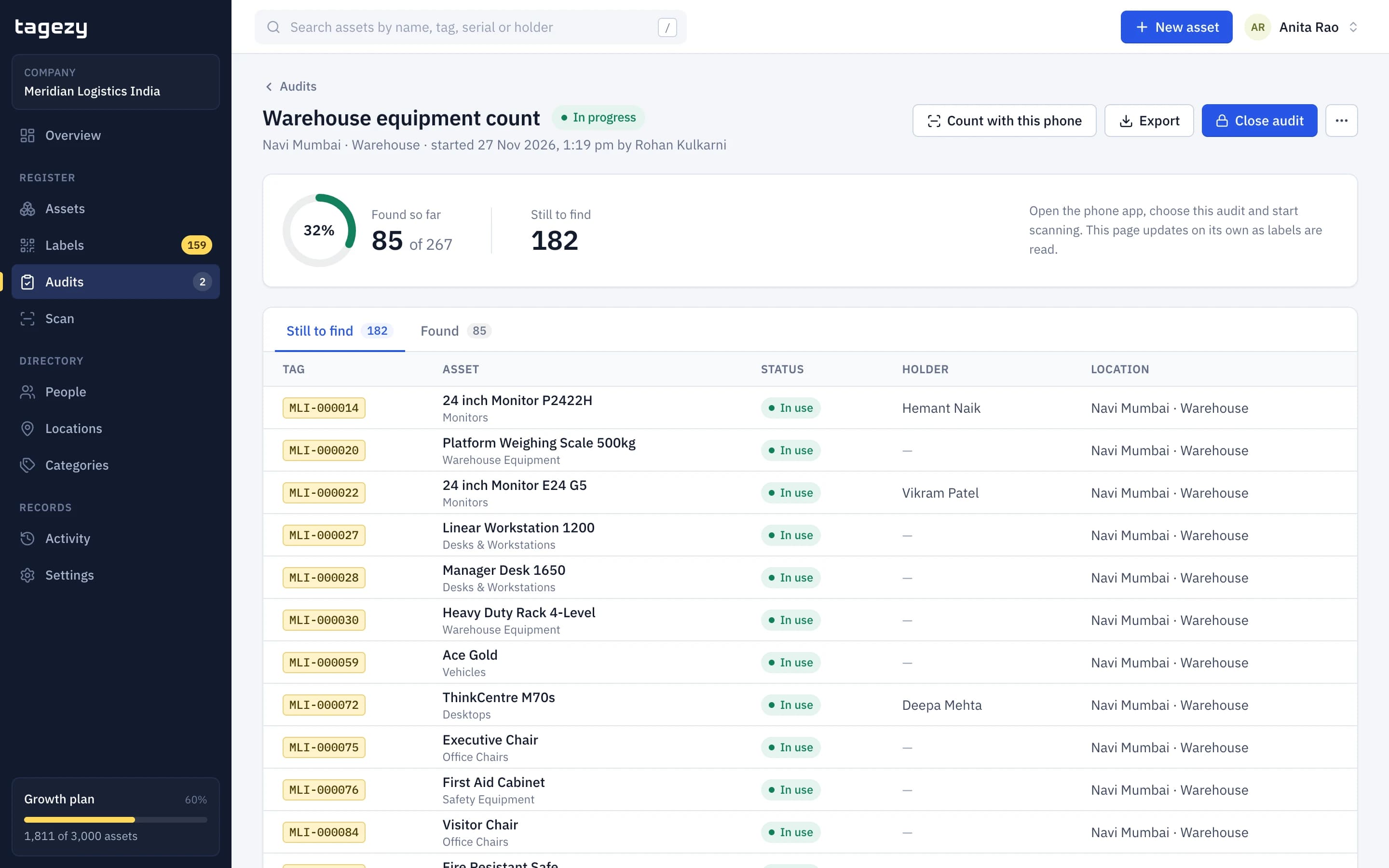
Start an audit for a floor. Everyone with the app scans what they find. The dashboard shows the count moving and the list of what is still to find.
Close the audit when the list is as short as it will get. Export the result. Repeat for the next location.
What you need
The whole kit.
| Item | What | Note |
|---|---|---|
| Your asset list | Excel or CSV | Only the asset name is required. Add the rest later. |
| A printer | Thermal label printer, or an office laser printer | Any printer that prints a PDF |
| Labels | 50 × 25 mm or 38 × 25 mm rolls, or A4 sheets of 24 | Polyester for durability |
| A phone | An iPhone for the app, or a phone's browser for the Scan page | No separate scanner |
| A browser | For the dashboard | Any modern browser, any device |
Questions buyers ask
How long does it take to tag a whole office?
The software steps take minutes: importing a sheet and generating labels for 2,000 assets is one sitting. The time goes on walking and sticking. Plan it floor by floor, with two people per floor, one sticking and one scanning.
Do we have to finish the register before printing labels?
No. An asset needs only a name to get a tag and a label. Many teams label first and fill in holders, locations and serial numbers while scanning.
What if we do not have an asset list at all?
Add assets one at a time in the dashboard as you walk the floor, or list them in the template spreadsheet first and import it. The template has the columns in the right order.
Can we try it on a small scale first?
Yes. Start with one room on the Free plan: import 20 assets, print one A4 sheet and scan them. That shows the register, the labels and the app in under an hour. Audits, the fourth step, are part of the Lite plan and above.
See it with your own asset list
Send us a spreadsheet of 20 assets. We will import it, print the labels and walk you through a scan and an audit on a call.