Guide · 5 minute read
What to put on an asset tag (and what to leave off)
Updated
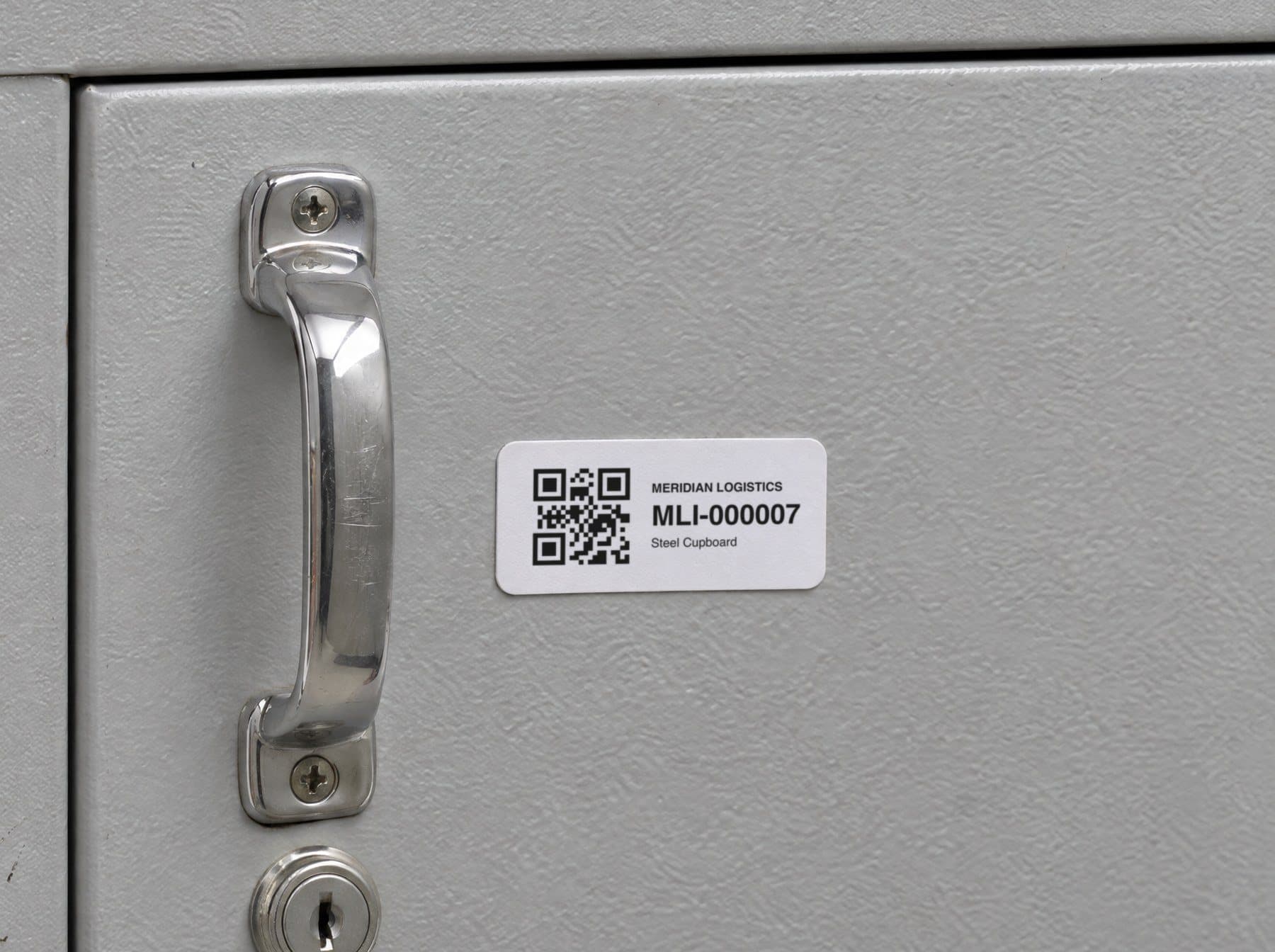
The short answer
An asset tag needs four things: a machine-readable code (a QR code or barcode), the same identifier printed as a number a person can read, the name of the company that owns the asset, and optionally a short description. Leave off anything sensitive, such as the holder's name, the value, or a web link that opens the asset's record.
A 50 × 25 mm label has room for about four things. Everything on it should help someone identify the asset in ten seconds. Everything else belongs in the register.
The four things a label needs
| Element | Why it is there | Example |
|---|---|---|
| A machine-readable code | So a phone can identify the asset without typing | QR code |
| The tag number in plain text | So a person can read it aloud, and type it if the code is damaged | AST-000123 |
| The owner's name | So a found asset goes back to the right company, and the label is not mistaken for a vendor sticker | Your company name |
| A short description (optional) | So the person sticking 200 labels can match each to the right asset | ThinkPad T14 Gen 4 |
That is the whole label. If you are tempted to add a fifth thing, check the list below first.
What to leave off
The holder's name. A laptop changes hands several times in its life. The label should outlast all of them.
The department or cost centre. Reorganisations happen. A label that says "Finance" on a laptop in Sales makes the whole scheme look unreliable.
The purchase value. It tells a thief which asset is worth taking.
The purchase date. It is in the register, and nobody standing at the asset needs it.
A web link to the asset's record. A QR code that opens a web page tells anyone with a phone what the asset is and who owns it. It also ties every label you have printed to a web address that must keep working for years.
The serial number. It is already on the device. Record it in the register and keep the label clean.
What the code should contain
The safest content for the code is an identifier that means nothing by itself: a short random string, or the tag number. The details live in the register and are shown only to someone signed in.
Short content has a second benefit. A QR code with less data has larger cells, so it reads more easily at small sizes and from further away.
| Code contains | A stranger scanning it sees | Still works if your web address changes |
|---|---|---|
| A short random code | A meaningless string | Yes |
| The tag number | The tag number | Yes |
| A link to a record page | A web page, or a sign-in screen that names your supplier | No |
| The asset's details as text | The asset's details | Yes |
Layout that reads well
- Code on the left, text on the right. Phones find a code faster when it has clear space around it. Leave a margin on all sides of the code. The QR specification asks for four cells.
- Tag number largest. It is the one thing a person reads.
- Black on white. Coloured labels look good and scan worse. Keep contrast high.
- No logo unless it is tiny. A logo uses the space the tag number needs.
- One typeface, no italics. Labels get read in bad light.
Number format
Use a prefix of two to four letters and a six-digit running number.
| Format | Verdict |
|---|---|
AST-000123 |
Good. Short, readable, sorts correctly. |
000123 |
Works, but looks like any other number on the device. |
AST-123 |
Sorting breaks at 1,000 assets. Pad with zeros from the start. |
MUM-FIN-LAP-2024-017 |
Too long, and wrong after the first transfer. |
Avoid characters that are misread in print: the letter O and the digit 0 together, the letter I and the digit 1. If your prefix is letters and the number is digits, the hyphen makes the boundary clear.
Size by asset
| Asset | Label size |
|---|---|
| Laptops, desktops, furniture, appliances | 50 × 25 mm |
| Phones, tablets, monitors, peripherals | 38 × 25 mm |
| Large equipment viewed from a distance | A larger label, or two labels on opposite faces |
A quick test before printing 2,000
Print five labels and try this:
- Scan each one with a phone at arm's length, in the dimmest room you have.
- Read the tag number from one metre away.
- Rub the print hard with a thumb.
- Stick one on a laptop lid and try to peel it off after a day.
If all four pass, print the rest.